

Introduction
Recently, I came across the following image that I liked showing five presentation tools.
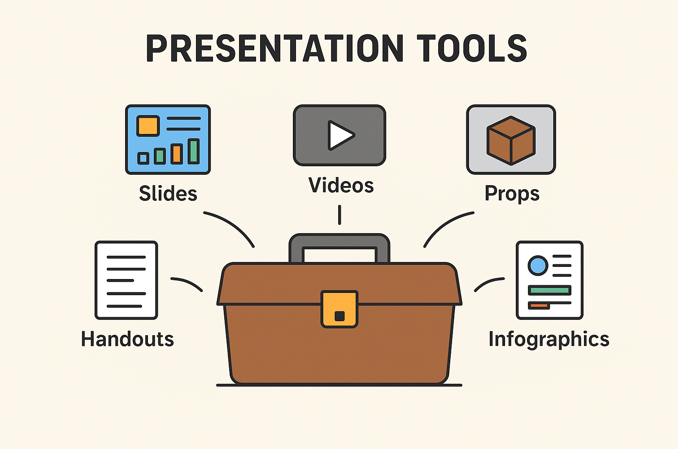
The copyright of this image is unknown. However, we can assume that copyright applies to this image and probably cannot be freely used.
How to make your own image
Let’s say we want to use this image. Also, let’s say that we want to amend the image by replacing ‘Infographics’ with ‘Whiteboard’.
Here is a demonstration showing how we can use Microsoft PowerPoint to recreate and amend the image. And once we have recreated the image, we have an image that we can freely use.
Step 1. Identify image structure
The first thing I did was to create the image structure by identifying of the key shapes and position of those shapes.
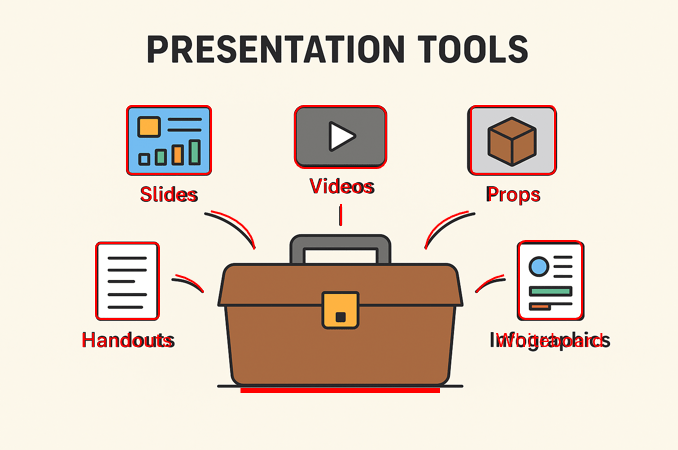
Next, I searched Flaticons to find a simple ‘toolbox’ image.

Removing the original image, reveals the image structure.

Step 2. Add details and style the image
The line thickness of the ‘toolbox’ has been used to determine the thickness of other lines. The aim is to give a visual consistency to the entire image.

The next thing is to source or create some additional visual elements to finish of the image.

The following shows the end result. The image is ready to be used in PowerPoint slides or inserted into a handout. Also, it is free for me to use without breaching copyright.

Step 3. Add colour, if required
Most of the images I use are black and white. My aim is to create a consistent and simple visual style. However, the following shows a coloured version of the image I have created.

In conclusion
The purpose of this article has been to show how an effective and copyright-free image can be quickly created. A picture is worth a thousand words. Visual communication improves understanding by presenting information in an easily digestible format. This allows for faster comprehension and better retention of complex ideas compared to text alone.
Do you need help with making your own images?
Are you a TAFE teacher or RTO trainer? Do you want to learn more about creating your own images to improve communication with your students?
Are you a TAFE or RTO manager? Do you want a group-based PD session designed to improve your trainers capability focused on creating images and developing teamwork?
Are you a TAE student studying for your TAE40122 Certificate IV in Training and Assessment? Do you need to create or customise learning materials, such as PowerPoint slides and handouts?
Please contact Alan Maguire on 0493 065 396 if you want to learn or develop your ability to quickly make your own images.
Do you need help with your TAE studies?
Are you a doing the TAE40122 Certificate IV in Training and Assessment, and are you struggling with your studies? Do you need help with your TAE studies?
Ring Alan Maguire on 0493 065 396 to discuss.

Training trainers since 1986

 On Target Work Skills